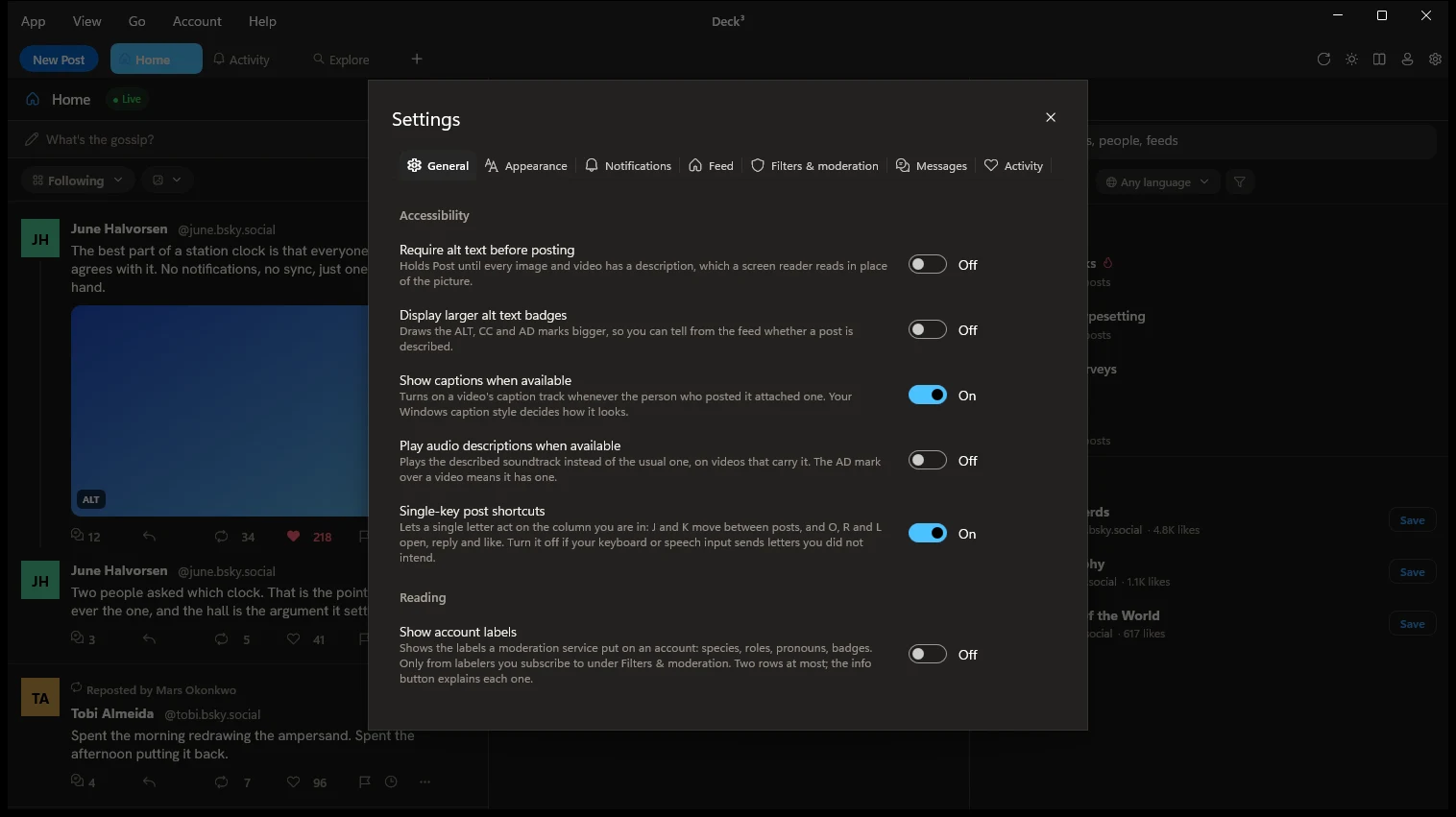
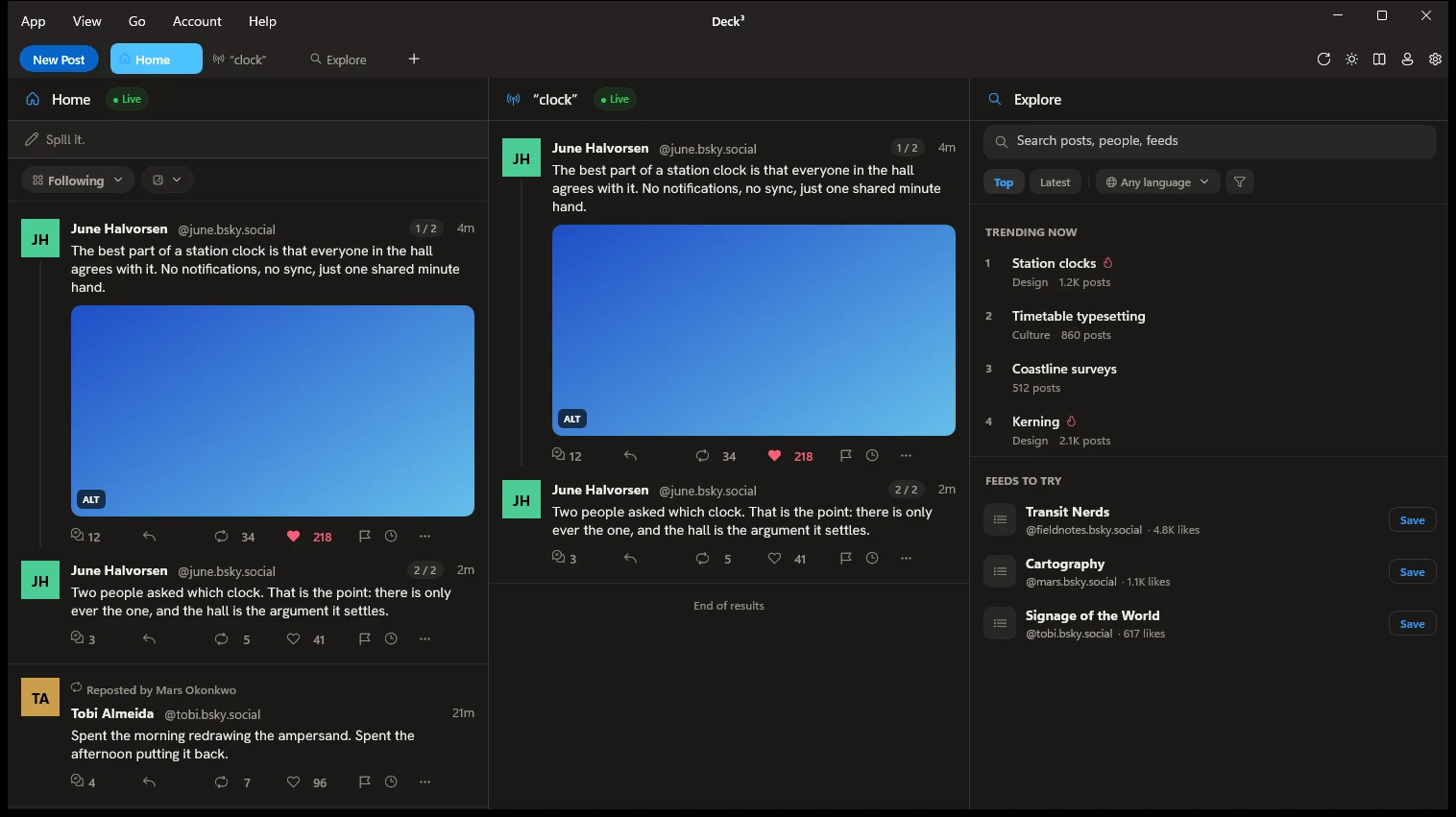
Deck³ · Native on macOS and Windows
Bluesky in columns, side by side.
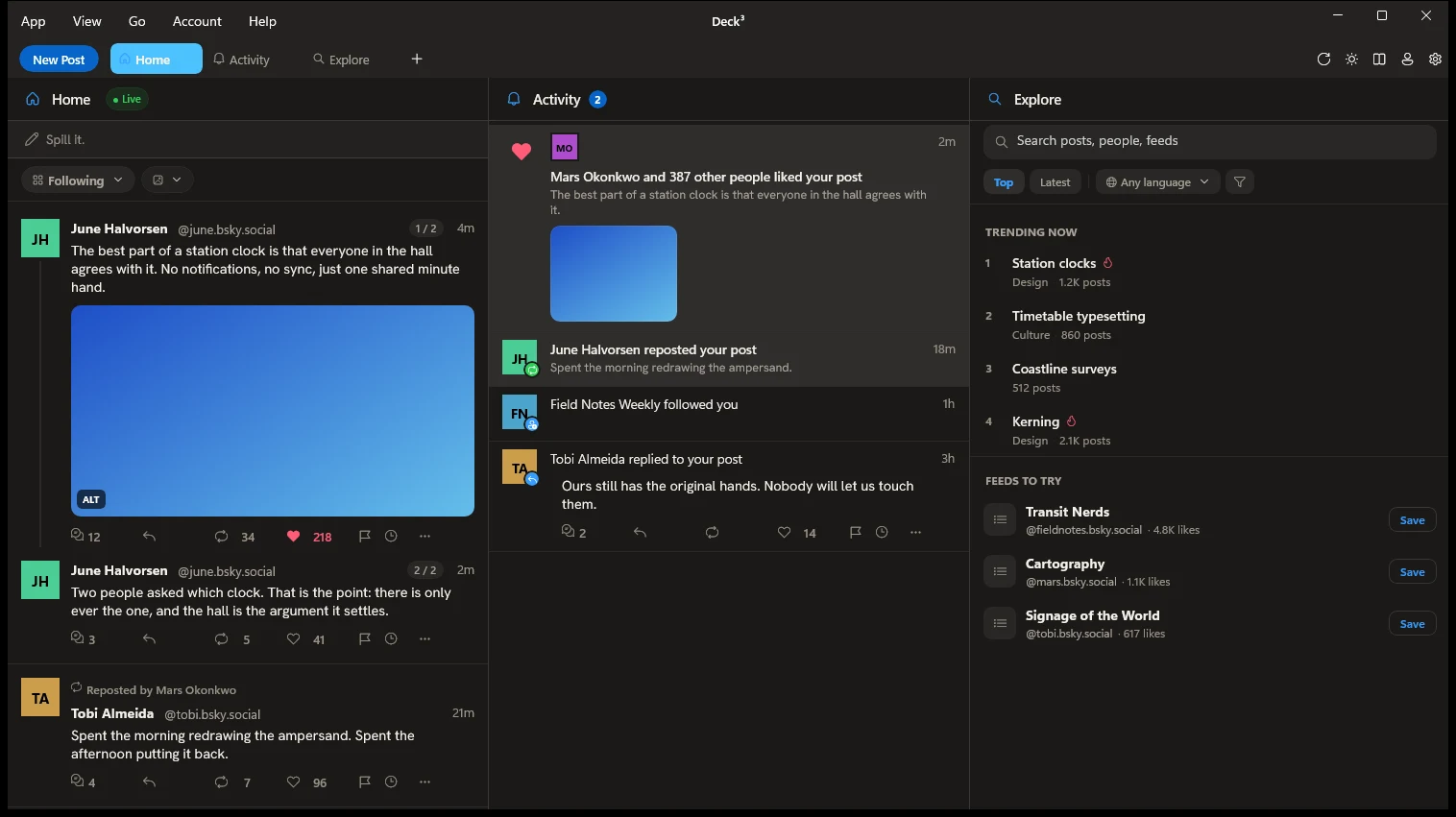
I missed TweetDeck: a row of columns you opened in the morning, left open all day and closed along with the laptop lid. Nobody made one for Bluesky, so I did. Every account gets its own columns in the same window, and a post you write once goes out from as many accounts as you tick.




Free, no subscription · On the Mac App Store and Microsoft Store · macOS 15 and Windows 10 or later
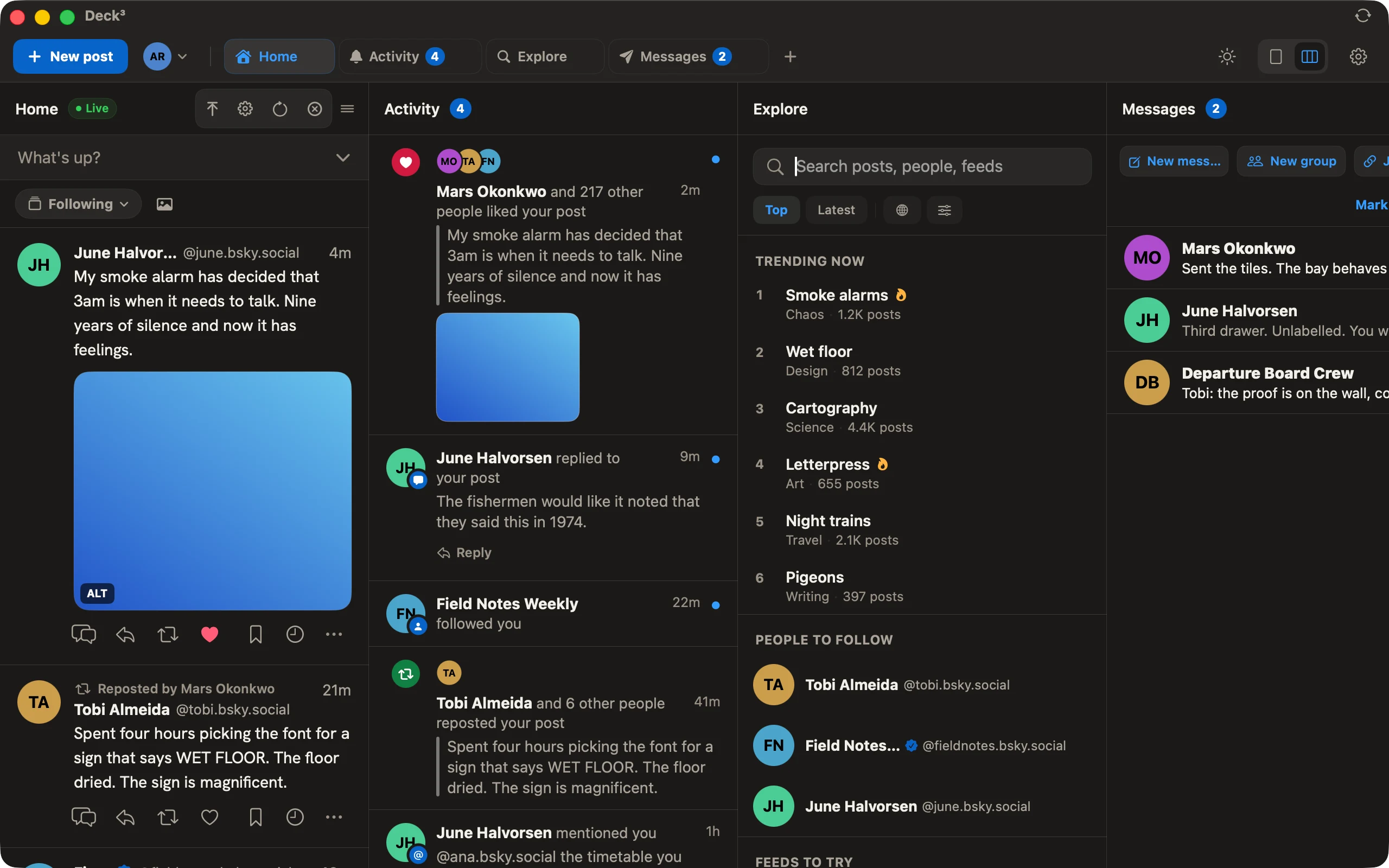
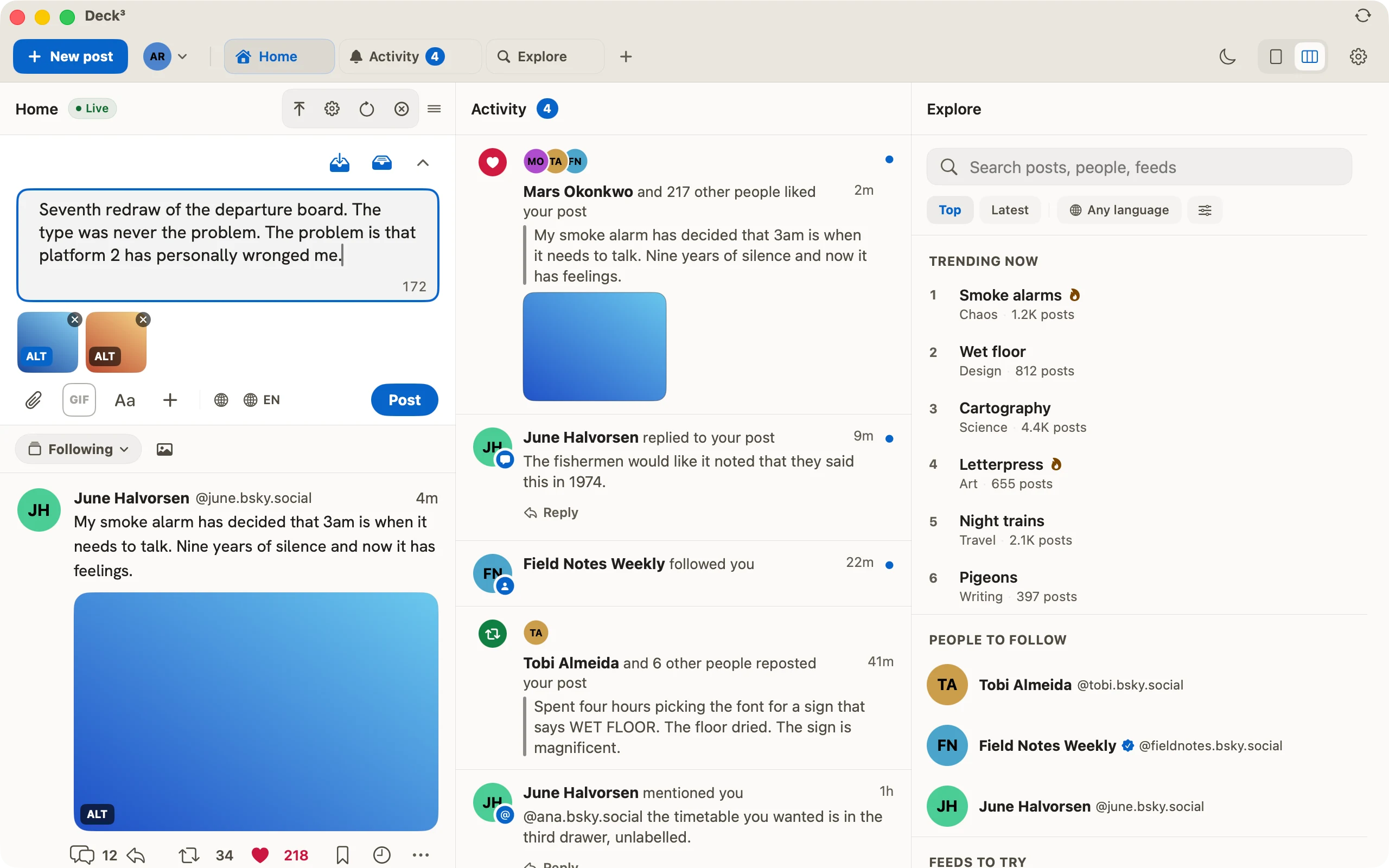
In the columns
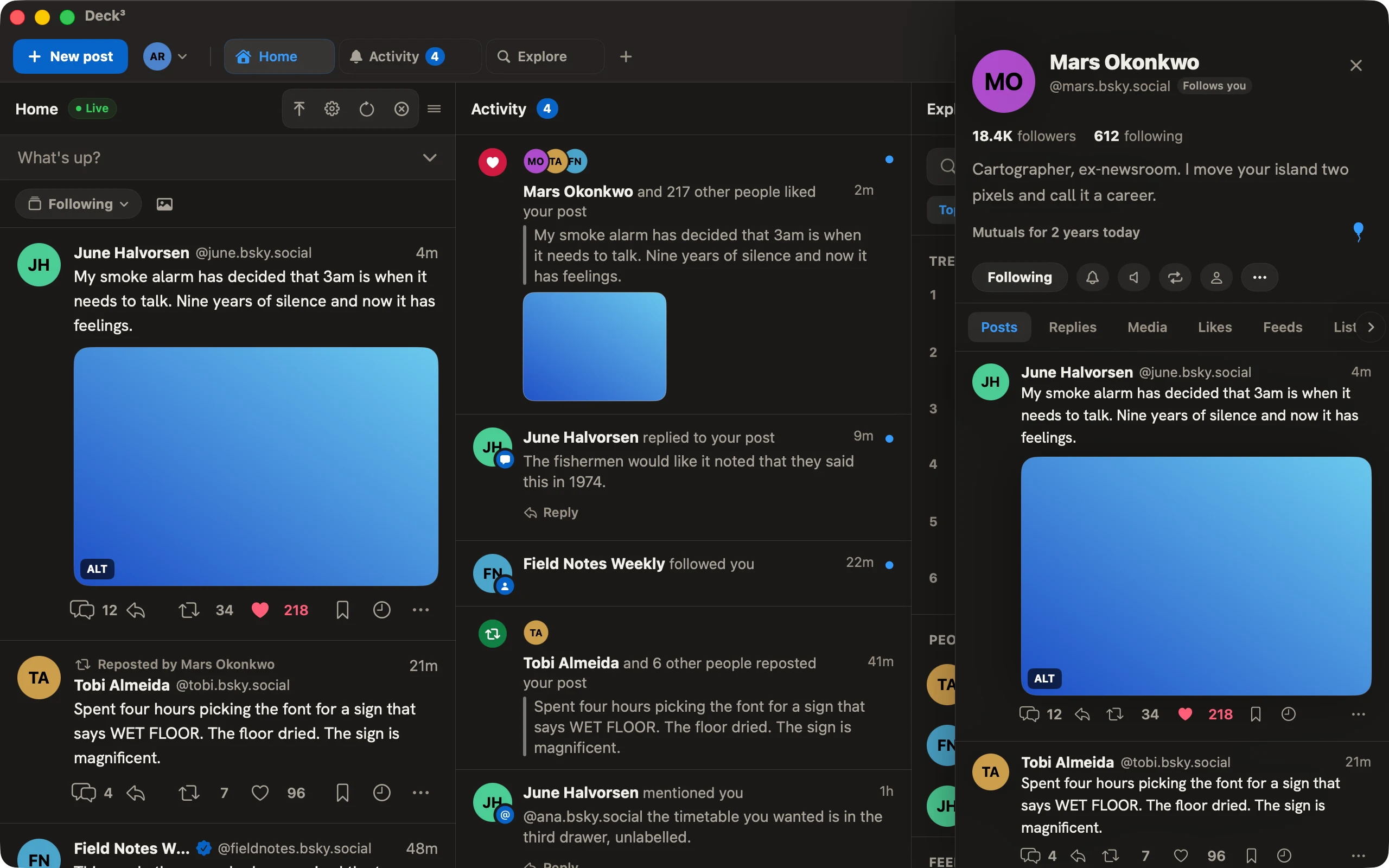
Everything open at once.
I built Deck³ to sit on your screen all day. These are the parts that earn the space.
Your columns, your order
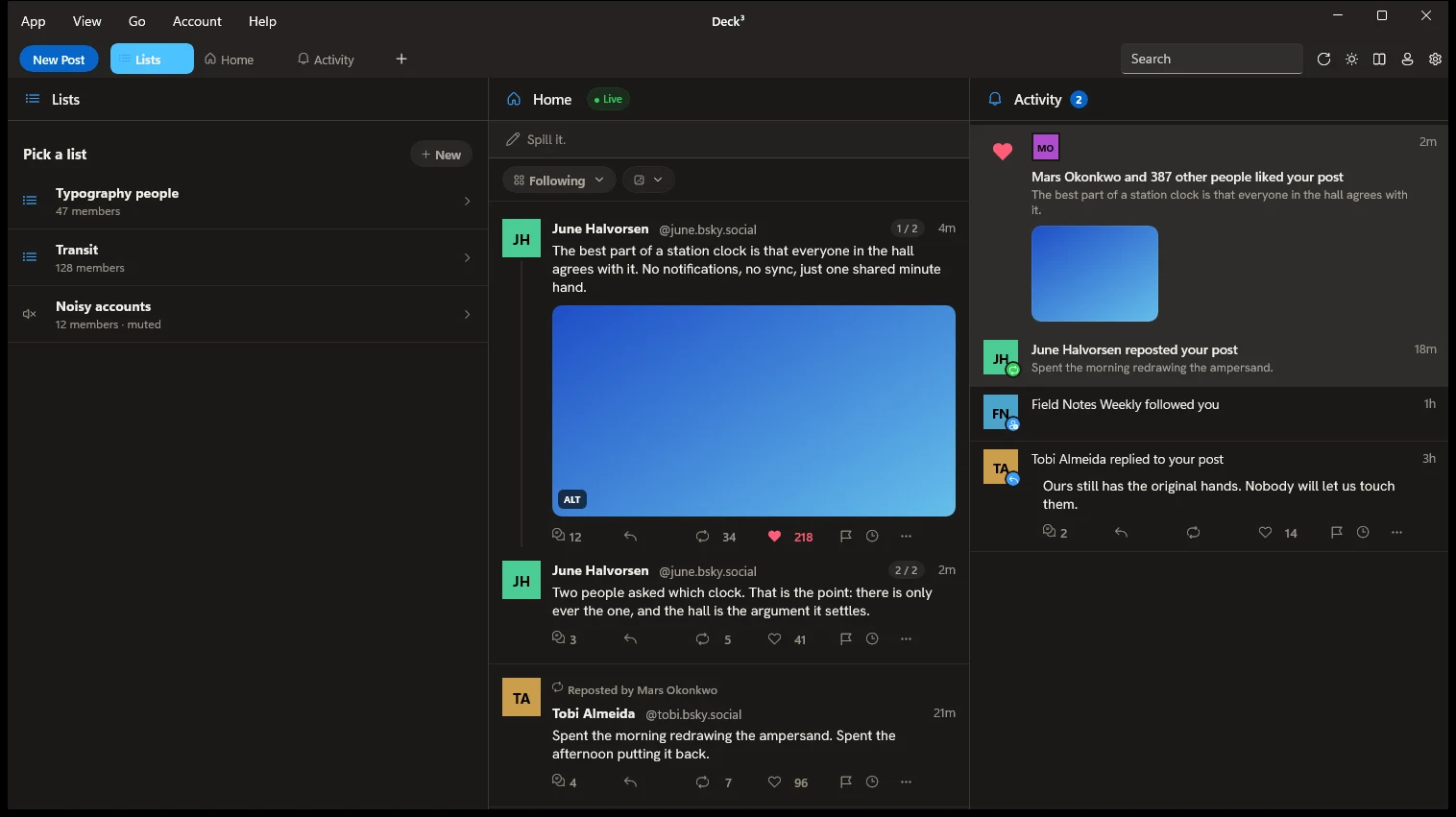
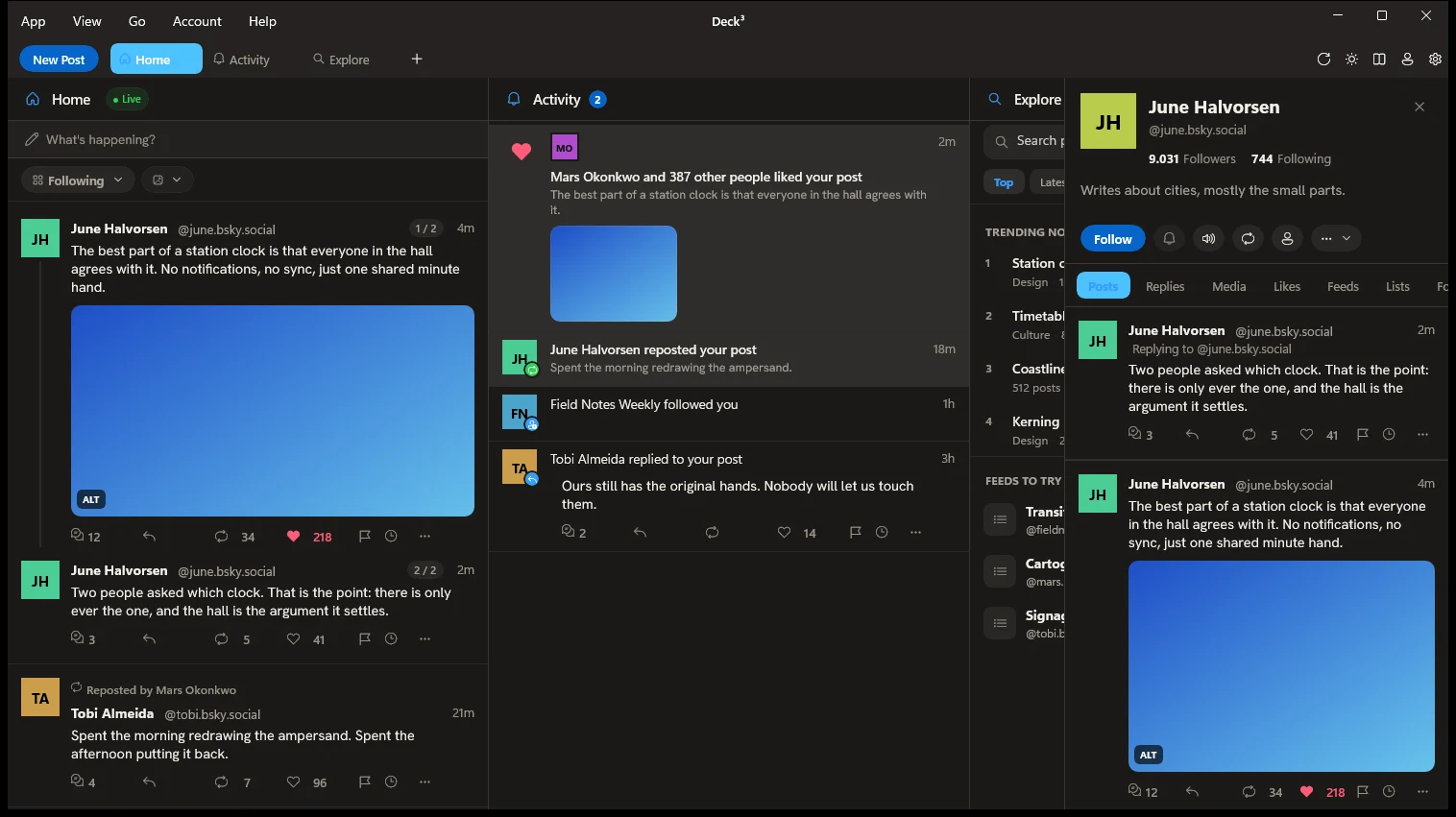
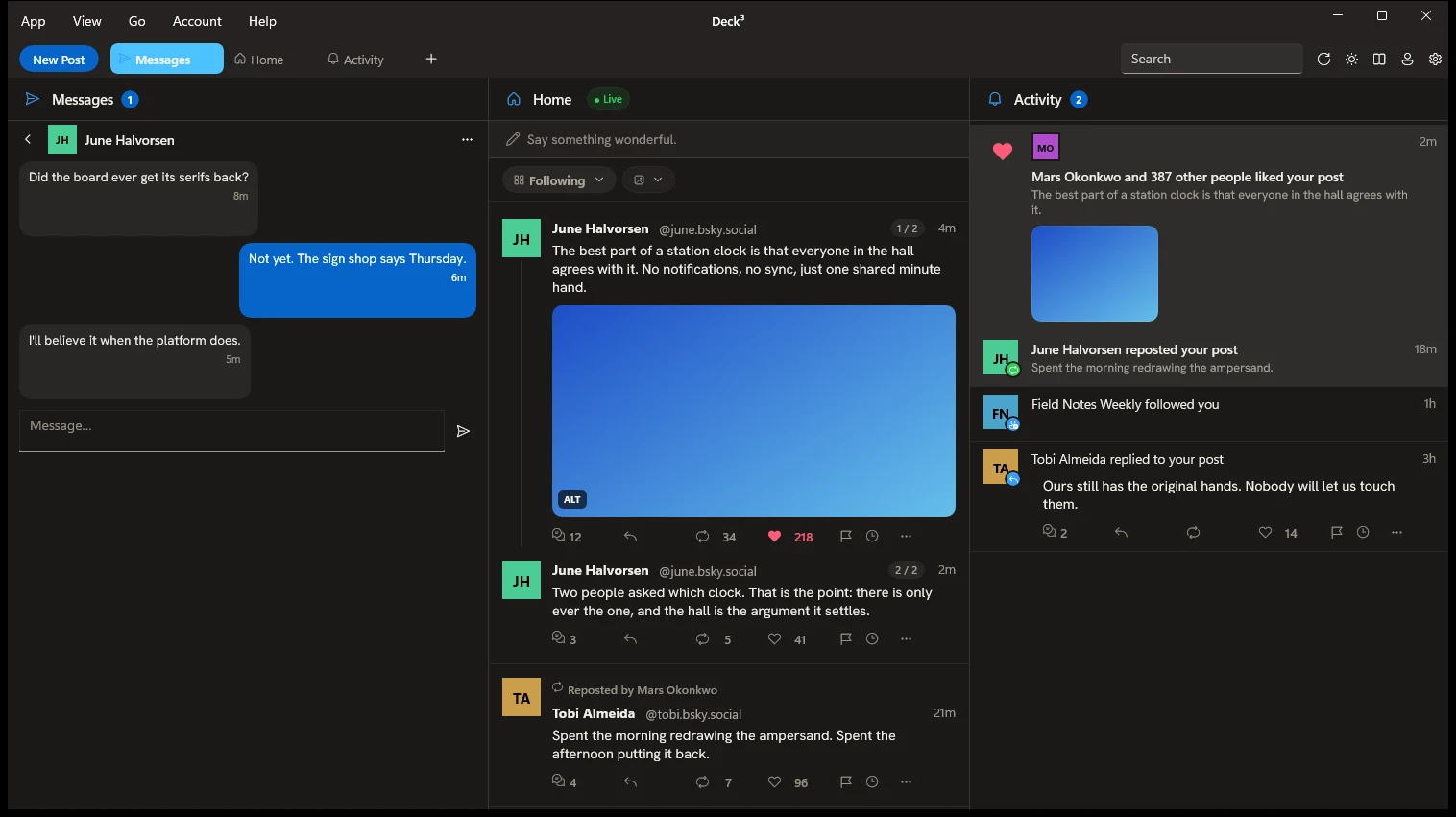
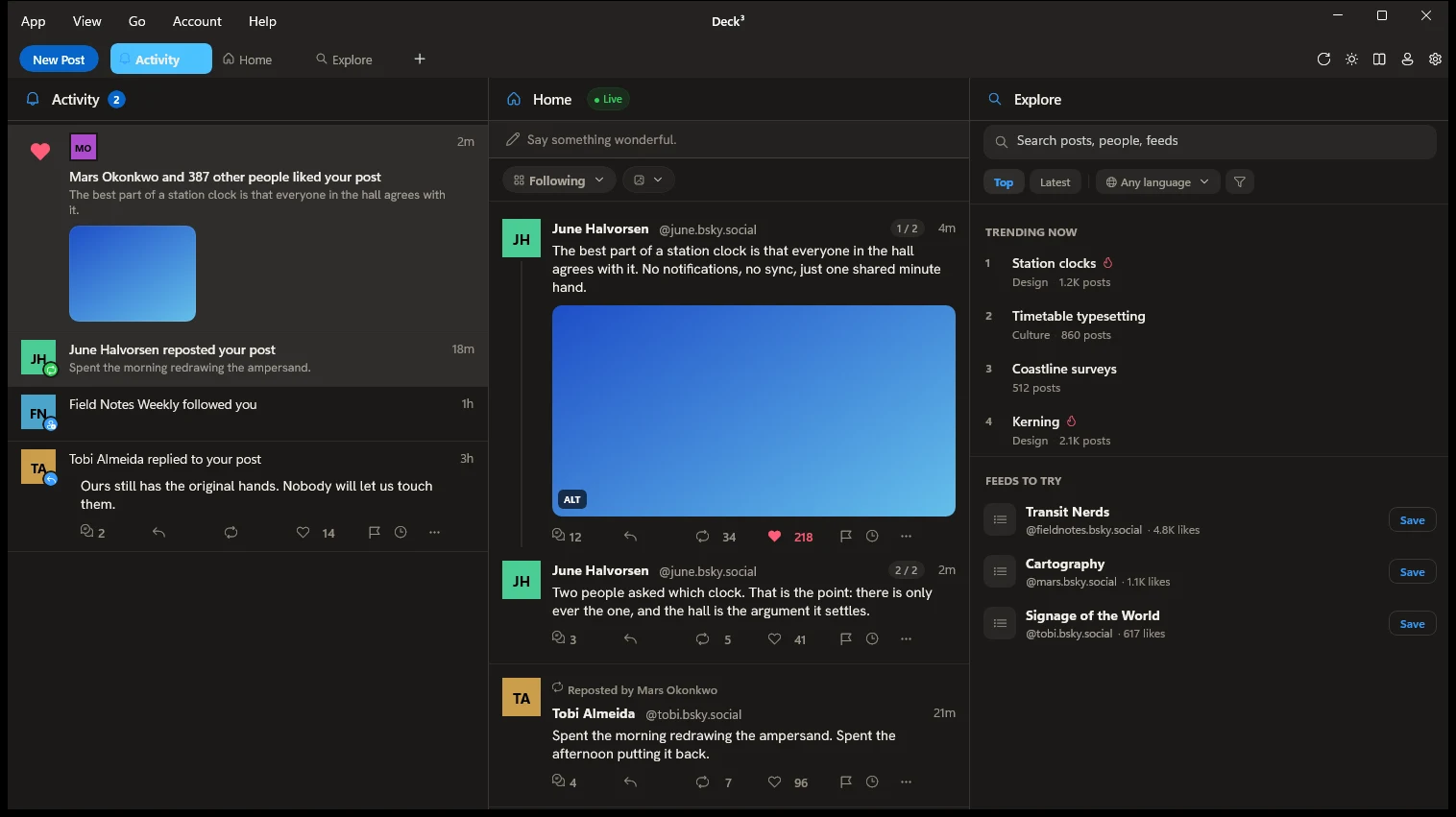
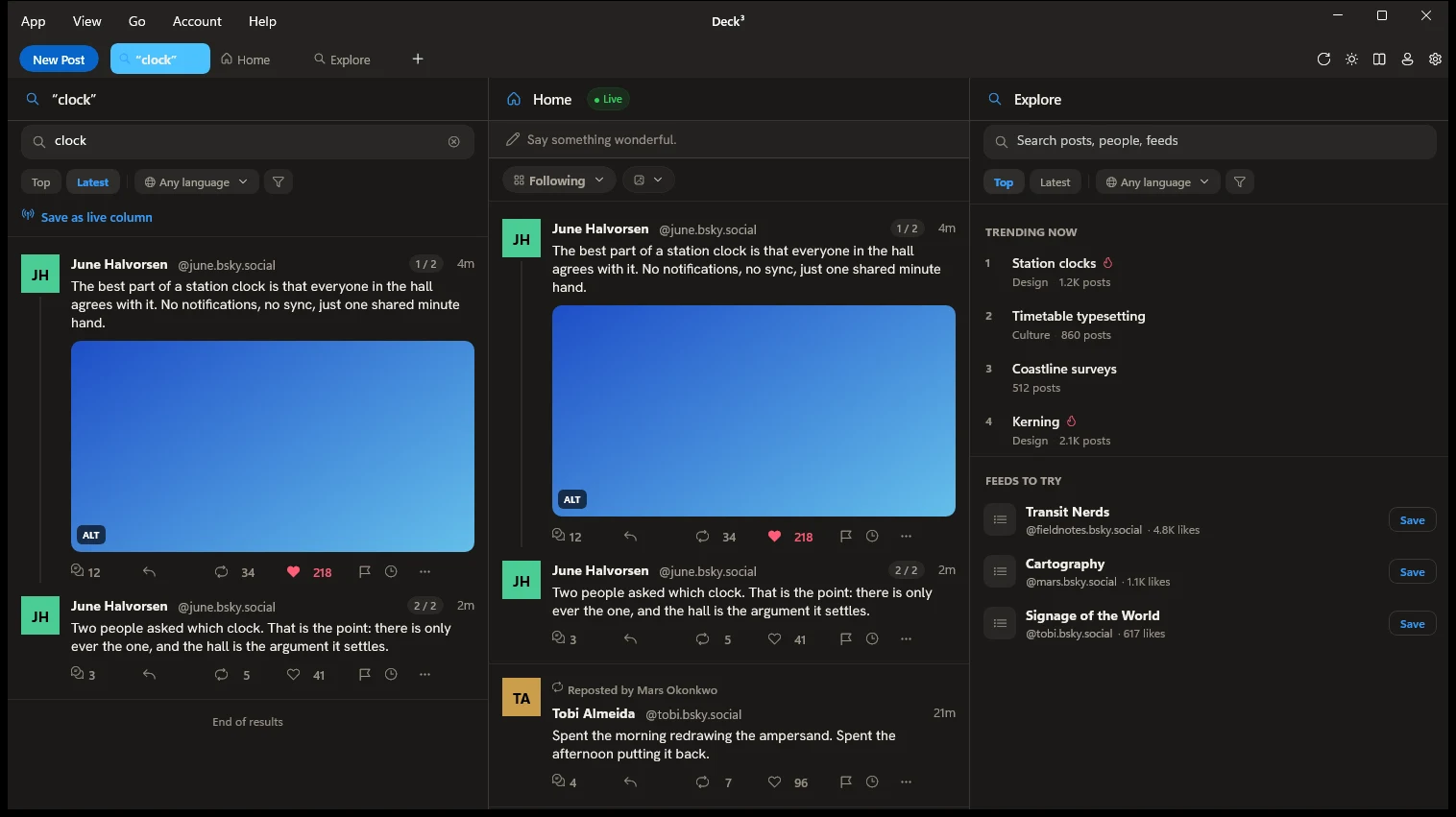
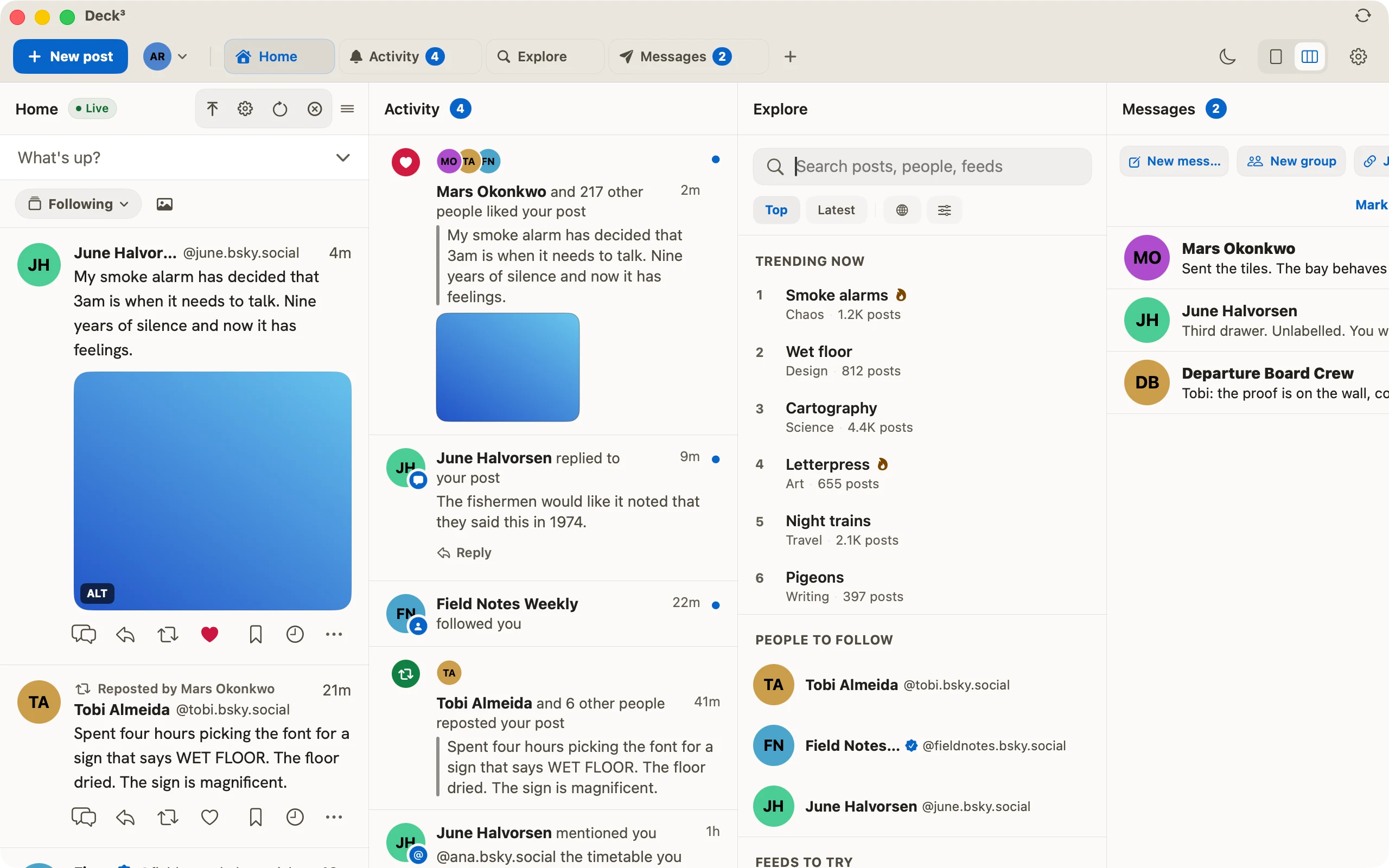
Every account gets whatever columns you want: Home, Activity, Search, Lists, Messages, a profile, a saved feed. You drag them into whatever order makes sense, and ⌘1 to ⌘9 jumps between them without your hands leaving the keyboard.
Live, or at your pace
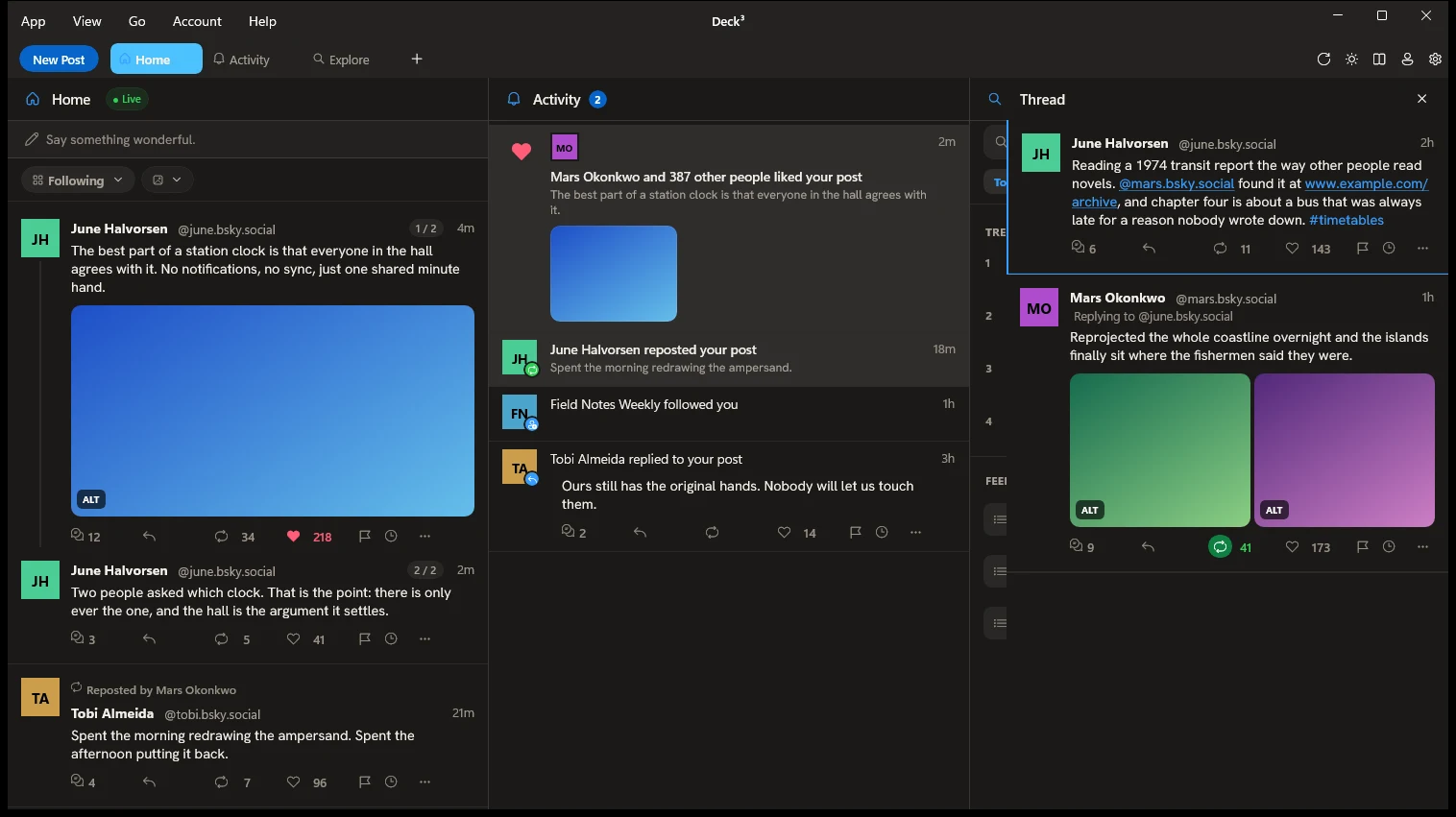
Post published, post on your screen, straight from Jetstream, saved searches included. If you have scrolled down, the new post waits behind a pill instead of shoving everything down and losing your place. Had enough? Pause the column, or swap real time for a refresh a minute.
Write once, post everywhere
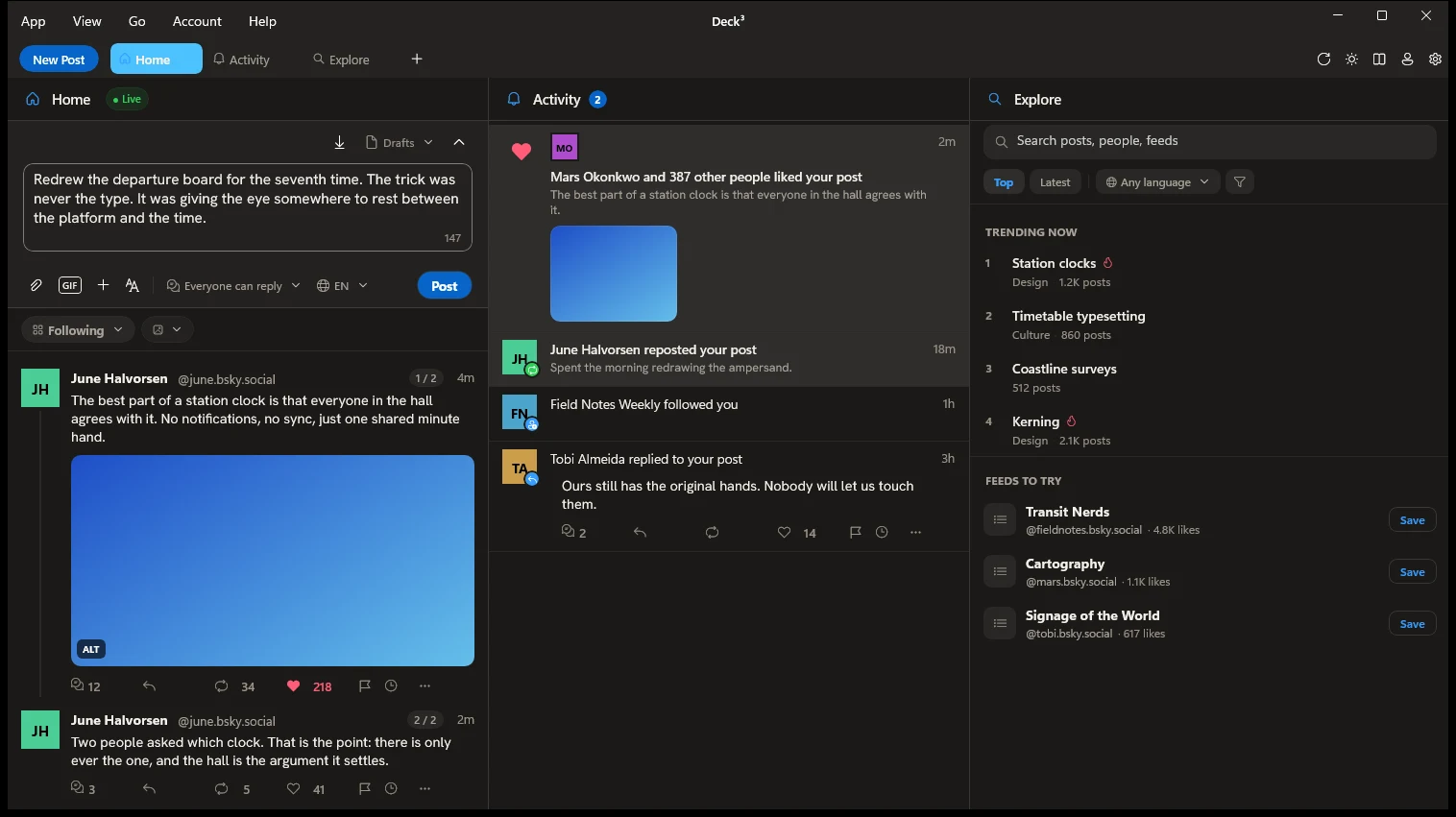
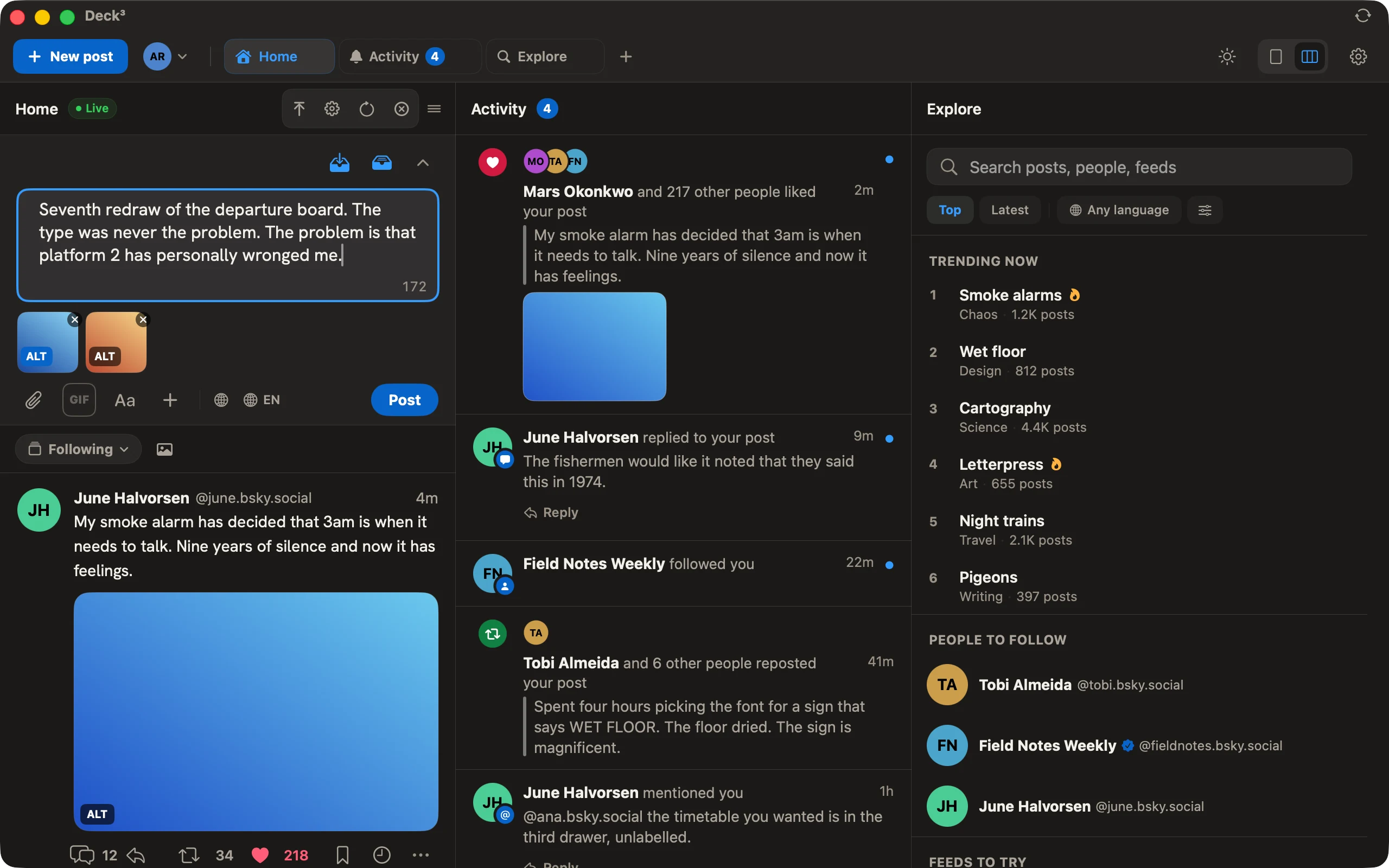
Write the post, tick the accounts, publish. It is a real text editor: bold, italic, a link that reads as words rather than a URL, @mentions and #hashtags that autocomplete as you type. You decide who can reply and what language the post goes out in. Drafts stay in sync with bsky.app and are still there when the connection drops.
A real Mac app
SwiftUI, and the only third-party dependency is the one that counts anonymous usage. There is a menu bar, because Mac apps have menu bars. Notifications, the Dock badge, Shortcuts, Spotlight and Siri all behave the way you expect them to.
A full Bluesky client
Messages, group ones included, lists, saved posts, starter packs, advanced search and video that plays first time. Click a like count and you see who liked it, with a badge next to anyone who follows you back. It talks to the AT Protocol directly instead of wrapping the website.
Your moderation, kept
Set your filters once on bsky.app and they apply here exactly: subscribed labelers, your overrides for each one, muted threads, muted words. If the network says hide it, it stays hidden.
In practice
Made for people who never close it.
- 01
Close the browser tabs.
One window holds every account and stays open all day without complaining. There is no Electron underneath, so it starts quickly and sits quiet while you work on something else.
- 02
Read at keyboard speed.
J and K move through posts, O opens the conversation, R replies, L likes, ⌘N starts a new post and ⌘/ shows the rest. The only accounts that get to interrupt you are the ones you asked to hear from.
- 03
No excuse for missing alt text.
Turn the lock on and a post with an undescribed image will not publish. Feeling lazy? The app pulls the text out of the image right there on your device, with nothing uploaded anywhere. But if you do not touch a single comma of the suggestion, the post button will not let you through.
- 04
Honest about what it does.
Where the network offers something the app cannot do yet, it says so in the place the feature would be, rather than hiding the gap.
Frequently asked
Before you install.
01Is this a TweetDeck for Bluesky?+
That is what it is, and why it exists. TweetDeck's row of live columns never got a Bluesky equivalent, so Deck³ is one: Home, Activity, Search, Lists and Messages side by side in a single window, updating as posts arrive, with every account you add on the same deck. Deck³ is not made by, endorsed by or connected to X Corp — TweetDeck is their name for their product.
02What do I need to run it?+
macOS 15 (Sequoia) or newer on a Mac, Windows 10 version 1809 or newer on a PC. That is the whole list. The app carries its own runtime, so there is nothing else to install and no "installing 1 of 47 components".
03What does it cost?+
Nothing. No subscription, no pro, advanced or gold version, and as long as I do not depend on it to make a living, there will not be one. I built it because I wanted to use it, and the only thing I wanted back was my row of columns.
04What does the app know about me?+
Apart from Bluesky, it talks to one anonymous usage service that shows me which features people actually use. No personal data, no identifier tied to you, nothing in there that can be traced back to a person. No ads and no third-party code selling anything about you. And if you would rather I did not see even that, it is one switch in Settings.
05Is there a Windows version?+
Yes, and it is on the Microsoft Store. It now runs level with the Mac: same columns, same shortcuts, same composer, notifications, video and the same moderation. What stayed out is what Apple does and Microsoft does not: no Shortcuts and no Siri, Translate opens a web translator, and the alt text editor reads the words in a picture but cannot tell you what it is of.
06Which networks does it support?+
Bluesky, with as many accounts as you care to add, each one with its own columns. Nothing else yet, and I would rather not promise what I have not built.
07How do accounts sign in?+
With a Bluesky app password. Tick "Allow access to your direct messages" when you create it if you want chat. On Windows you can use atproto OAuth instead. Sessions live in the macOS Keychain on a Mac, and on Windows in local storage encrypted with Windows DPAPI and tied to your Windows account. They go nowhere else.
08Does it respect my Bluesky moderation settings?+
To the letter. It reads the same preferences bsky.app writes: content filters, subscribed labelers, and your overrides for each one. Drafts and saved posts stay in sync with the official app too.
09Is it accessible?+
Yes. Deck³ targets WCAG 2.2 AA, with clear VoiceOver labels on every control, support for Reduce Motion and Dynamic Type, and complete keyboard navigation.
10Wasn't this called something else?+
It was DeckDeckDeck. Deck, deck, deck, three times, which is what the three is doing up there. Same app, same account, same columns. The stores still show the old name until the update goes through, so do not be surprised when the button takes you to a DeckDeckDeck.
11Where do I get it?+
The Mac version is on the Mac App Store and the Windows version is on the Microsoft Store. Both are ready to install.
Now on Windows
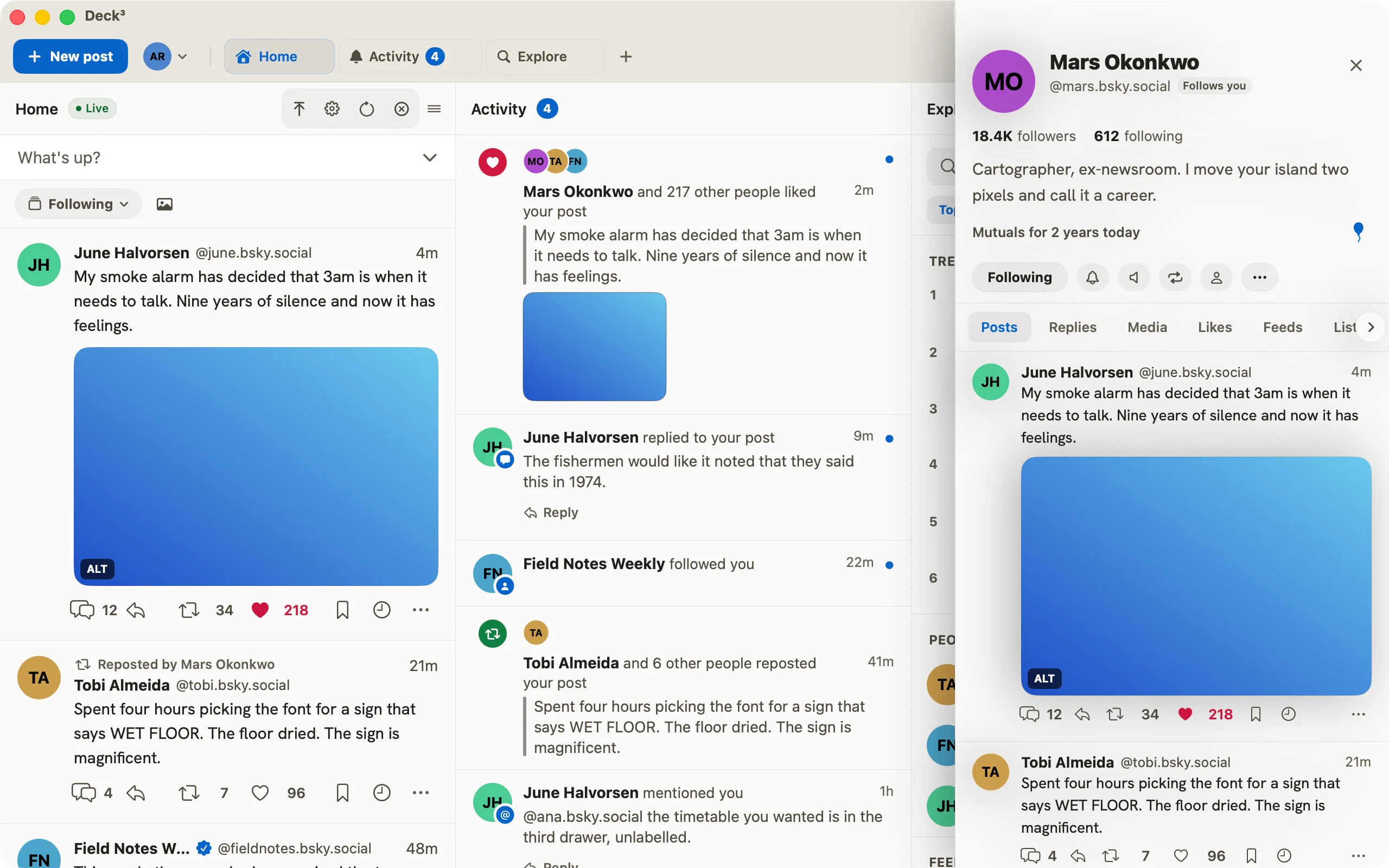
Deck³ on a PC.
It is on the Microsoft Store, and it has caught up with the Mac. Same columns, same shortcuts, same composer. A few things were even born here and ported the other way.